Personal finance, done right
Plan your money.
Live with clarity.
Budget helps you plan the income you expect, record what actually arrives, give every naira a job, and see where it went.
Expected money ≠ Received money.
Budget keeps the two apart, so you never plan money that has not arrived.
Your finances stay private to your account.
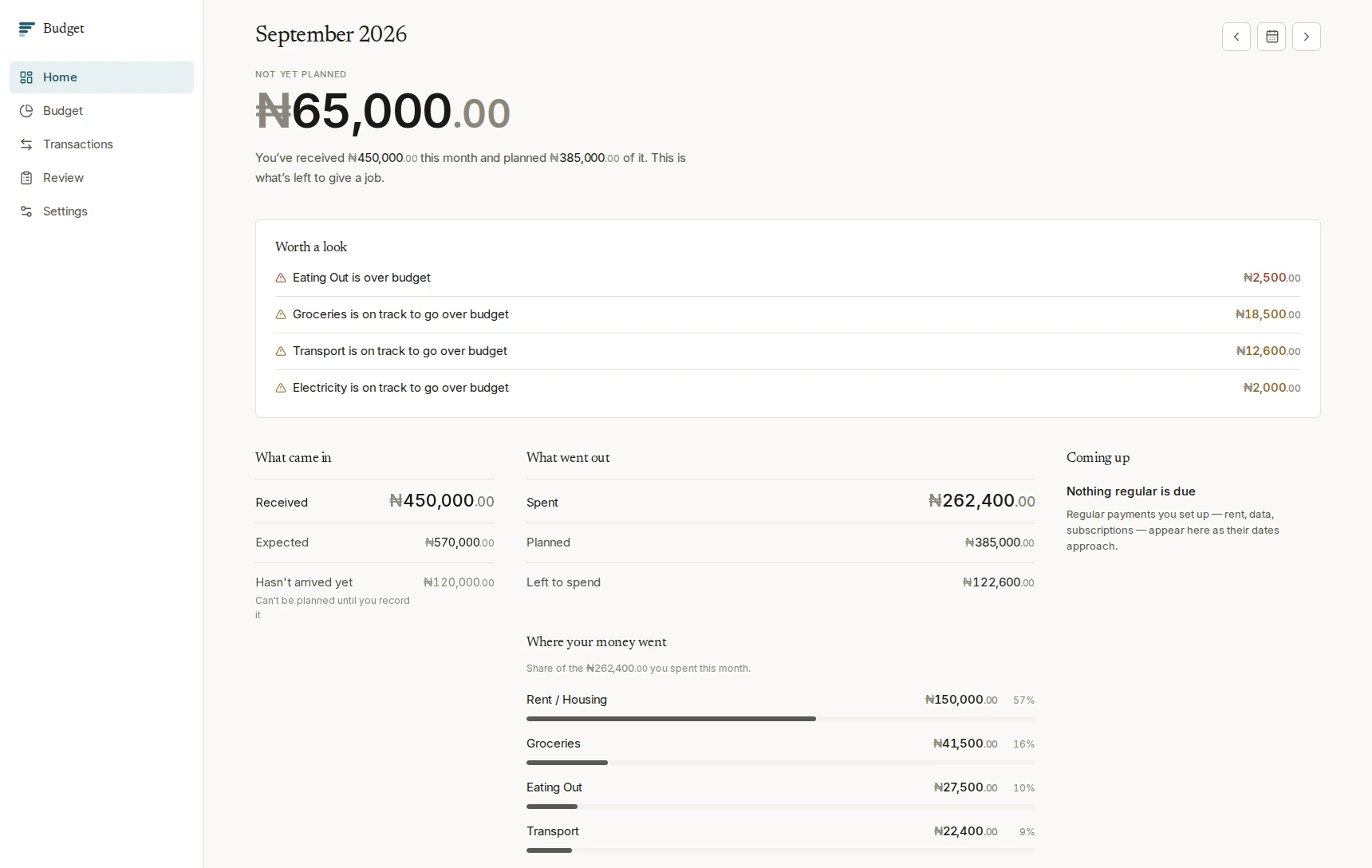
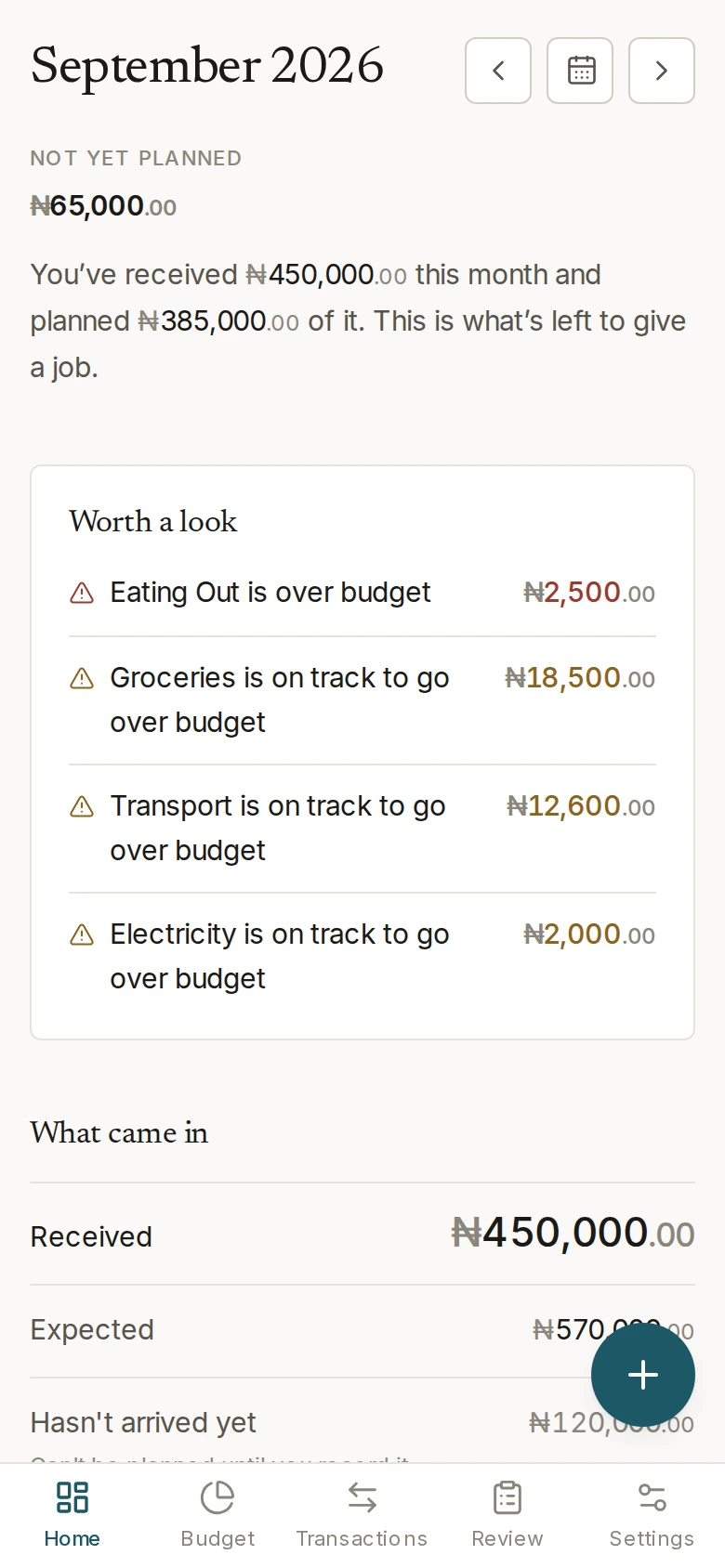
Plan with confidence
Set the income you expect and when it should arrive.
Track reality
Record money when it actually lands, not when it was promised.
Plan intentionally
Give every naira a job before you spend it.
Understand spending
See where your money went, and what that means for next month.
Works offline
Record on the move; changes sync when you reconnect.
Features
Everything Budget does, and nothing it doesn’t.
Each feature earns its place by making one part of your month clearer.
Expected income, on your schedule
Record what you expect to earn and when — monthly, every few weeks, or on dates that suit irregular work. Budget shows what should arrive without ever treating it as money you have.
Received income, kept separate
Money becomes available to plan only when you record that it arrived. Until then it sits as money that hasn’t arrived yet — visible, and clearly not yet yours to spend.
Plans that hold their shape
Divide what you have actually received across your categories. Budget keeps track of what is not yet planned, and remembers every change you make, so you can see how a month took shape.
Recurring expectations
Rent, subscriptions and bills you know are coming. An expectation is never a payment — nothing reaches your transactions until you record that you paid it.
Entry from a receipt photo
Point Budget at a receipt and it reads the total, the date and the merchant, then shows you the details to confirm before saving. The photo never leaves your device.
A monthly review
At the end of a month, see what came in against what you expected, where the money went, and how it compares with the month before.
How it works
Five steps, in the order money actually moves.
This is the rhythm of a month in Budget, and every feature serves one of these five steps.
Forecast
Tell Budget what income you expect and when it should arrive.
Receive
Record money when it actually lands. Only now does it become yours to plan.
Plan
Give the money you have received a purpose, category by category.
Spend
Record what you actually spend, by hand or from a photo of a receipt.
Review
See what happened, and carry what you learned into next month.
The line between forecast and receive is the one that matters. Budget will not let you plan money you are only expecting — which is the difference between a plan and a wish.
Security
Why you can put your finances here.
Budget holds one of the most private records you keep. Here is how it is looked after.
Your records are yours alone
Every account is separate. What you record belongs to your account and is never visible to anyone else using Budget.
Protected connections
Budget is served over HTTPS, so everything between your device and your account travels protected.
Strong passwords required
Budget asks for a genuinely strong passphrase and turns away passwords already known to be common.
Sessions you control
Signing out ends your session straight away, and changing your password signs out anywhere else you were signed in.
Protected sign-in
Repeated sign-in attempts are limited, so nobody can sit and guess their way into an account.
Your data stays yours
Export everything you have recorded, whenever you want it, in a form you can keep.
FAQ
Questions people ask first.
What is Budget?
A personal finance application for planning your income, deciding deliberately what it is for, and recording what you actually spend. It is built around one idea: the money you expect and the money you have are not the same thing, and keeping them apart is what makes a budget hold true.
How does expected income work?
You record the income you expect and when it should arrive. Budget uses that to show what your month should look like, and to keep track of what is still to come.
Does expected income automatically become money I can plan?
No, and this is deliberate. Expected income stays as an expectation until you record that it actually arrived. Only received money can be planned — so a budget can never be built on income that never came.
Can I record transactions manually?
Yes. Recording income, expenses and transfers by hand is the ordinary way to use Budget — everything else is simply a faster route to the same result.
Can I add a transaction from a photo of a receipt?
Yes. Budget reads the total, the date and the merchant from the photo and fills the details in for you to check and correct before anything is saved.
Does Budget upload my receipt images?
No. The photo is read on your own device and never leaves it. Only the details you confirm are saved to your account.
Can I use Budget offline?
Yes. Budget installs on your phone or computer and opens without a connection, showing what it last loaded and telling you plainly that you are offline. Anything you record while offline is saved and syncs as soon as you are back online.
Can more than one person use Budget?
Yes, through separate accounts. Each person's finances are entirely their own. Budget is built for individual budgets rather than shared or joint ones.
Does money I do not plan roll over into the next month?
No. Each month stands on its own and begins with the income you receive in that month, so a new month always starts from what is real. Past months stay exactly as you left them.
Can I get my data out?
Yes, at any time, from Settings. Your export includes your accounts, categories, income and transactions, so you always have your own copy.
Get started
Find out what your money is actually doing.
Creating an account takes a moment. Budget starts with a set of ordinary categories, so there is nothing to configure before you can plan your first month.
Works in your browser, and installs on your phone.